How to track your AI search visibility yourself: a practical guide
Oct 22, 2026 · 9 min read
The hands-on walkthrough: choose buyer prompts, structure branded and unbranded checks, repeat for stability, read citation vs mention rates, and turn every miss into a fix — trackable in about an hour a week.
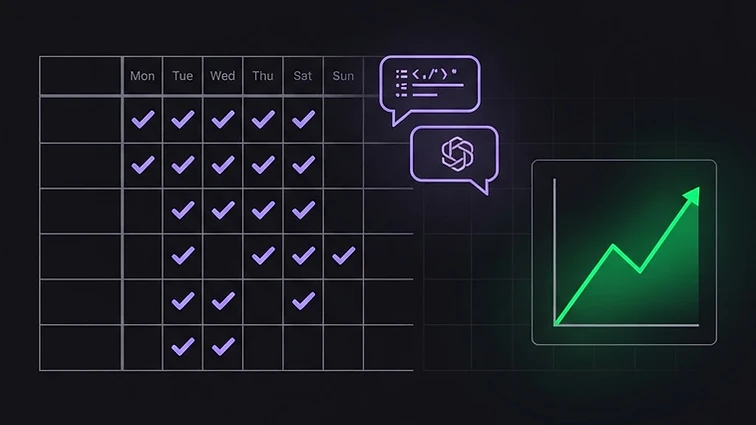
Most teams know they should track how AI engines present their brand. Few do, because the question is always 'track what, exactly?' This guide is the hands-on answer: a repeatable weekly routine you can run manually in about an hour, and that OrbitRank GenO automates for every campaign. No dashboard required to start — a spreadsheet and two browser tabs will do.
Step 1: build the prompt list from buyers, not keywords
Start with the questions a real buyer asks an assistant before choosing something like yours. Mine three sources: the queries in your search console that convert, your sales and support tickets ('how does X compare to Y?'), and the autocomplete suggestions in ChatGPT and Perplexity themselves. Turn each into a full question, phrased the way a customer would say it — not 'CRM pricing 2026' but 'which CRM is best for a five-person agency on a budget?'
Aim for 15–25 prompts across three kinds: branded ('Is OrbitRank GenO any good?'), unbranded category questions ('what's the best GEO tool?'), and comparison prompts ('OrbitRank vs Profound'). Log them in a sheet with columns for the prompt, the kind, and the engine you will check. The branded/unbranded split matters: branded checks tell you what happens once someone knows you exist; unbranded checks tell you whether AI engines ever introduce you.
Step 2: run the checks the same way every time
Once a week, ask every prompt in the same 3–5 engines (ChatGPT, Perplexity and Google AI Overviews are the core set; add Gemini and Claude if time allows). Record for each: was the brand named? was the page cited as a source? which competitors appeared? and one line of the actual answer as evidence. Copy the answers verbatim into your sheet — memory will edit them for you, and not in your favor.
Keep the settings constant: same accounts, same region where the engine offers one, no personalization toggles mid-month. A trend requires the measurement to stay still while the world changes.
Step 3: repeat enough times to trust the number
AI engines are non-deterministic — the same prompt can cite you in one run and omit you the next. Ask each critical prompt at least 3–5 times per session and record the share of runs that cited you. A prompt cited in 4 of 5 runs is an asset; one at 2 of 5 is contested and worth fixing first. For a number you plan to put in a report, 5–20 repeats give you a confidence interval wide enough to be honest and tight enough to be useful. Below three repeats, call it a single scan, not a trend.
Step 4: read the two rates, not one
Your citation rate is the share of prompts where your page was used as a source. Your mention rate adds prompts where the brand was named without your page. The gap between them is diagnostic: named but not cited means the engines heard about you through corroboration but have nothing of yours worth quoting — your pages are not extractable. Cited but rarely named means the engine trusts your content but your entity is too vague for the answer to credit you. Different diagnoses, different fixes.
Step 5: turn every miss into a specific fix
For each prompt where you lost, ask the engine 'what sources did you use?' or read the citations Perplexity shows. You will find the same three causes over and over: the answer is buried on a competitor's page and yours does not state it plainly; the competitor has mentions you lack (reviews, directories, listicles); or your identity is inconsistent enough that the engine is unsure you are one company. Fix in that order: rewrite the page answer-first, then add the missing independent mentions, then align your entity everywhere.
Step 6: close the loop weekly
Keep a four-column log: date, citation rate, mention rate, and the one fix you shipped. After a month you will see which prompts are stable, which are contested, and whether your fixes moved the numbers — or whether the fix went in and the citation did not follow, which usually means the corroboration layer, not the page, was the constraint.
When the routine is running, the free GenO Grader is the shortcut: it grades any URL on the six dimensions that determine extractability and citations in about a minute, so you can see structurally why a prompt is lost before you spend the rewrite time. Manual tracking tells you where you stand; the discipline in this guide is what turns that into a number that only goes up.
Put this into practice on your own site.
Grade any URL free in about 60 seconds.